Despite being arguably the most popular laptop for a while now, MacBooks have gone notoriously without a touchscreen even to this day. Sure, there are rumors of a touchscreen MacBook coming either this year or the next, but it sure would be nice if you can use touch controls on your current MacBook. That’s exactly what you can do with the Intricuit Magic Screen.
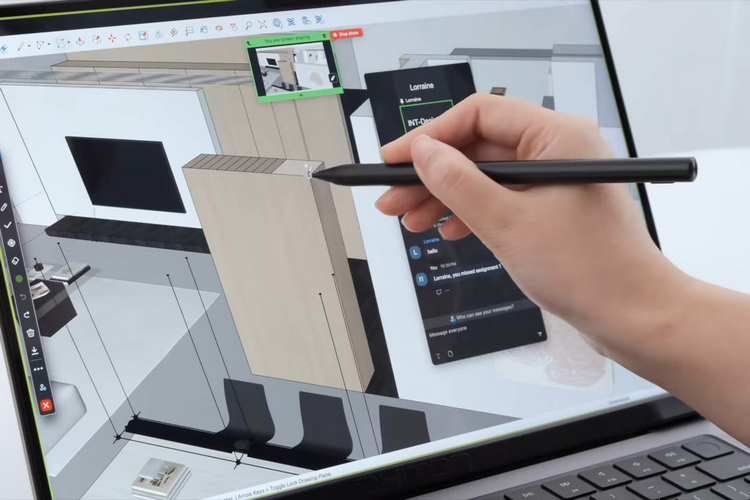
Designed for all of Apple’s M-Series laptops except the M1 MacBook Air, the MacBook accessory snaps magnetically over the laptop’s display, immediately turning it into a touchscreen panel. That’s right, you can now tap and swipe your fingers on the screen of your MacBook Pro, instead of having to use a mouse or the built-in trackpad.
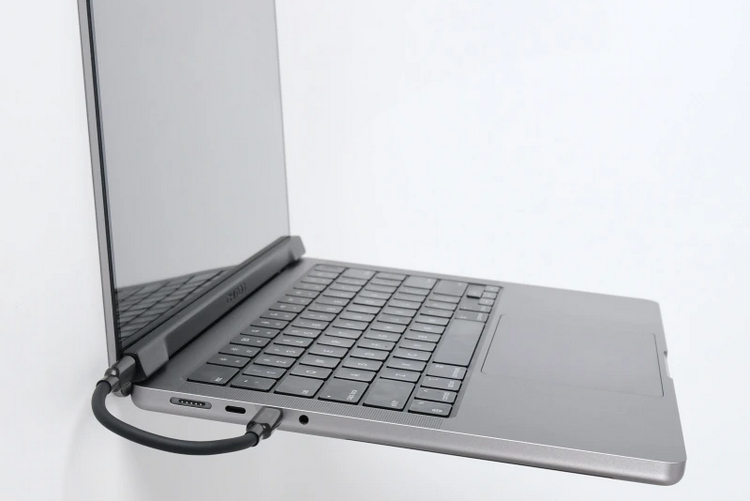
The Intricuit Magic Screen installs in a pretty straightforward manner. You snap it on top of the MacBook’s display using magnets, then plug in the USB-C cable to the laptop. Once set up, it gives the laptop a full-featured touchscreen panel, allowing you to interact with the screen using taps, swipes, pinches, and other gestures, much like any touchscreen laptop. It supports all the standard touch gestures, so anything you do on an iPad, you should be able to do here. According to the outfit, it’s extremely responsive, so touch interactions feel very intuitive, direct, and effortless. And since you’re only touching the snap-on panel, the laptop’s monitor never actually get dirty, requiring you to just clean the accessory on its own.
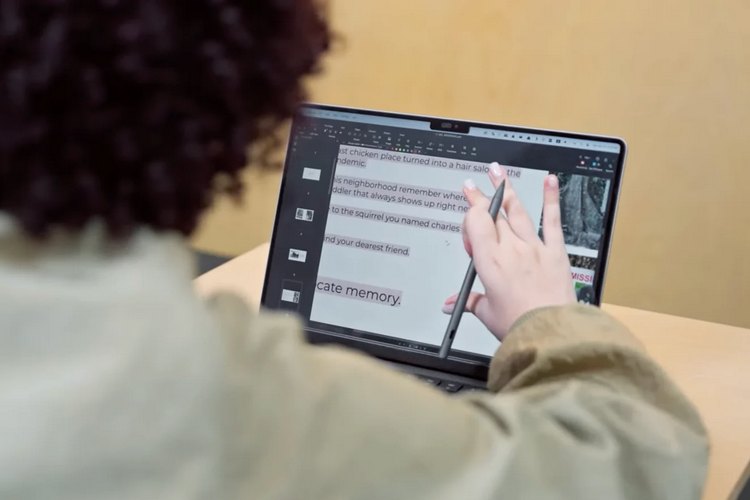
Not only does it support touch gestures, it supports stylus use, too, allowing you to sketch, draw, and handwrite items directly onscreen with higher precision than you could achieve using your fingers. It comes with a stylus, of course, that’s designed specifically for MacBooks using the accessory. The stylus boasts 4,096 pressure levels, an action button for quick shortcuts, replaceable tips, and an integrated battery rated for 100 hours of use between charges. Oh yeah, it’s designed to snap to the side of the MacBook, too, allowing you to keep it with your laptop at all times.
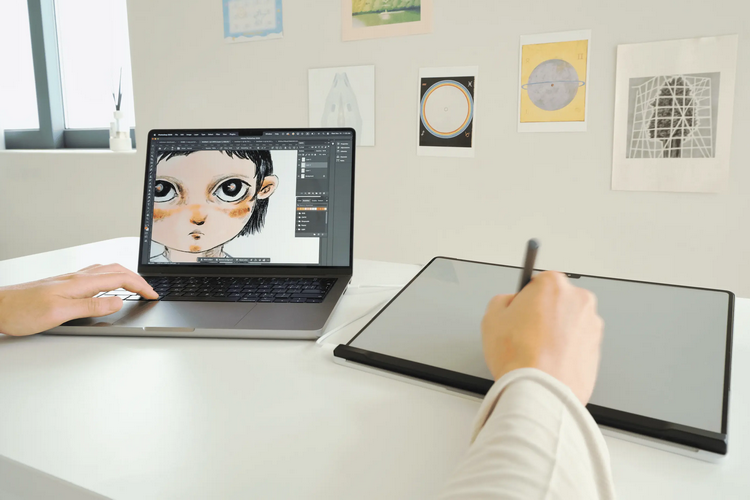
The Intricuit Magic Screen can also be used as a drawing tablet if you don’t find it very comfortable reaching out and drawing directly on a laptop screen. You’ll still need to plug it into the laptop via USB-C, but you can use it like any standard wired drawing tablet, either by holding it in hand or setting it up at a comfortable angle on your desk. The set, by the way, includes a multifunctional folio case that you can use to not just protect the touchscreen panel, but also set it down at a tilted angle for more comfortable ergonomics while drawing. When using the touchscreen on your laptop, by the way, you’re supposed to attach the folio to the back of your MacBook to prevent the screen wobble that’s so common in many touchscreen laptops.
The accessory comes in five variants to fit different sizes of screens: one for the MacBook Neo, two for the MacBook Air (13- and 15-inches), and two for the MacBook Pro (14- and 16-inches). Can you leave the touchscreen on the laptop, so you don’t have to install it every single time? Sadly, no, as they actually designed it so you won’t be able to close the clamshell when the screen is installed.
A Kickstarter campaign is currently running for the Intricuit Magic Screen. You can reserve a unit for pledges starting at $170.