If you’re playing a flight sim, you probably don’t want a standard PC controller or a mouse-and-keyboard setup. Instead, the best flight sim experience can usually be had by using proper flight sticks and pedals. But what if you put those same flight stick controls on a wireless gamepad? That’s exactly what they did with the Echo Aviation Controller.
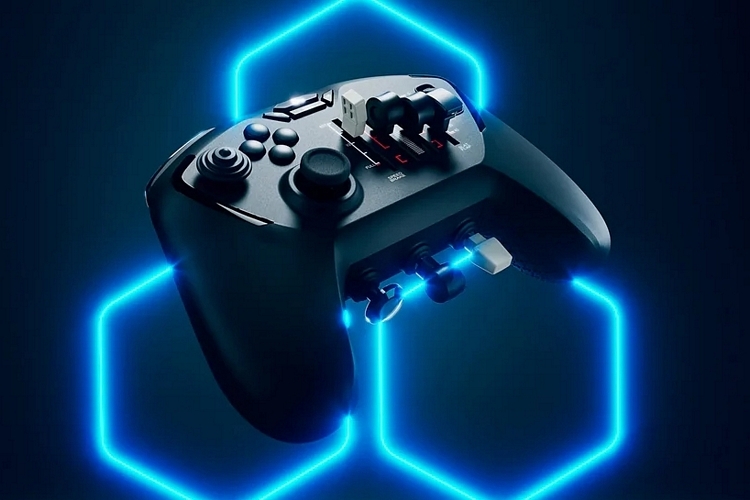
That’s right, this gamepad ditches the traditional action buttons and D-pad for the kind of controls you’ll normally see on flight sticks. We’re talking throttle sliders, rudder pedals, flight levers, a trim wheel, and more, essentially equipping an erstwhile handheld controller with proper flight sim controls, putting all critical functions within easy reach.
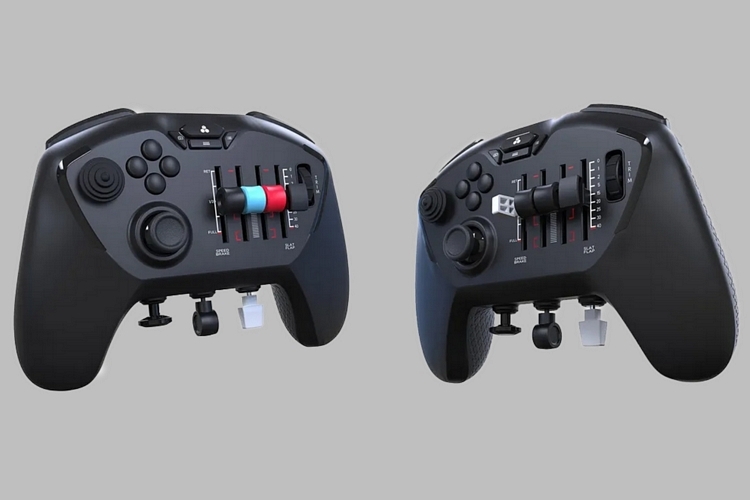
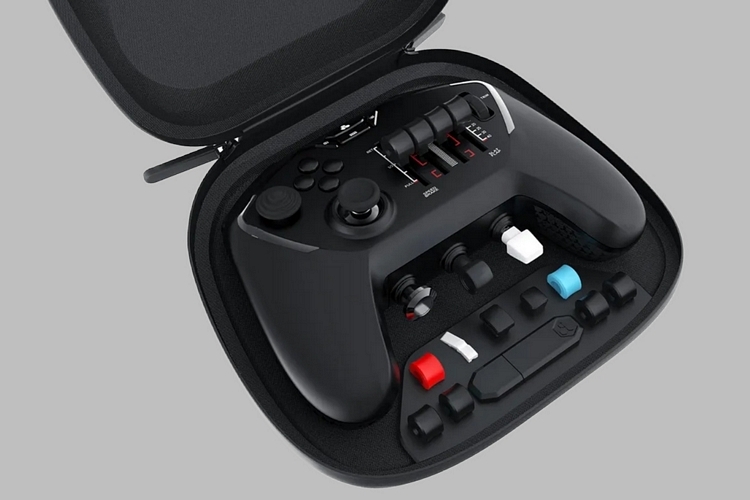
The Echo Aviation Controller has the shape of a standard modern controller, with protruding grips on either side and proportions sized to fit comfortably in hand. Unlike other gamepads, though, it doesn’t have the usual dual thumbsticks, D-pad, and action button combo. Instead, the front of the gamepad hosts a thumbstick, a conical joystick, and four action buttons on the left side, while the right side sees a textured trim wheel and a quartet of sliders for adjusting throttle, flaps, and speed brake. According to the outfit, it uses 16-bit hall effect thumbsticks to ensure long-term accuracy, while offering swappable caps for the sliders for a more realistic flight experience.
The shoulders also get four buttons (two on each side). which, we’re guessing, you can program to your exact liking. Around the back, it features mechanically-linked and self-recentering rudder pedals, allowing smooth and coordinated rudder control all throughout your flights. At the bottom are tactile levers for adjusting the flaps, activating parking brake, and raising or lowering the landing gear, making it easy to get access to the most common flight sim controls. Of course, it also comes with a set of system buttons, specifically for camera, checklist, and toolbars, each of which should further help simplify cockpit operations. Suffice to say, they bundled all the core flight sim controls into this handheld gamepad.
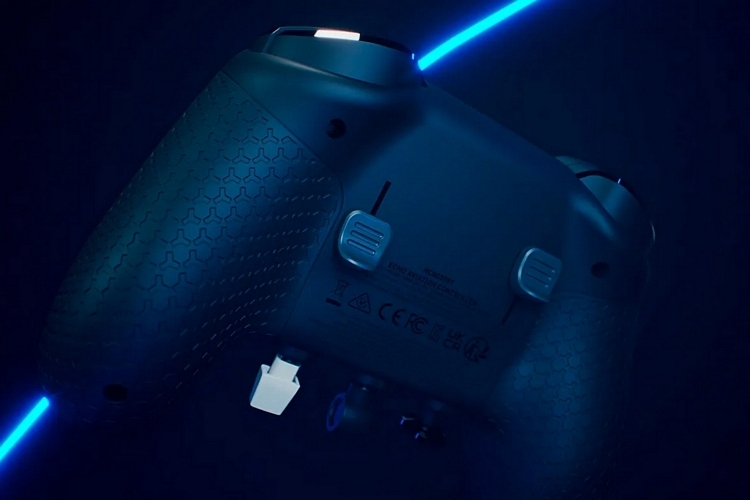
The Echo Aviation Controller doesn’t appear to have Bluetooth (no mention of it), so it probably wirelessly connects to your PC via a dongle. You can also plug it in via USB, although we’re guessing the whole point of using a controller is so you don’t have to be closely so closely tethered to the desk. How does it compare to a traditional flight stick? We’re not entirely sure, but it definitely offers a viable option for folks not enthused with flight sim setups that will take up a good chunk of the valuable space on your gaming desk.
The onboard battery, by the way, is rated for 15 hours of flight time, allowing you to fly a proper cross-country and back in your flight sim of choice before requiring a recharge. It’s only for PCs, though, which seems really odd, since a flight sim gamepad seems to be the perfect way to enjoy Microsoft Flight Simulator while lounging in the couch. Hey… maybe they’ll have a console version coming down the line.
The Echo Aviation Controller is slated for availability mid-December, priced at $149.99.