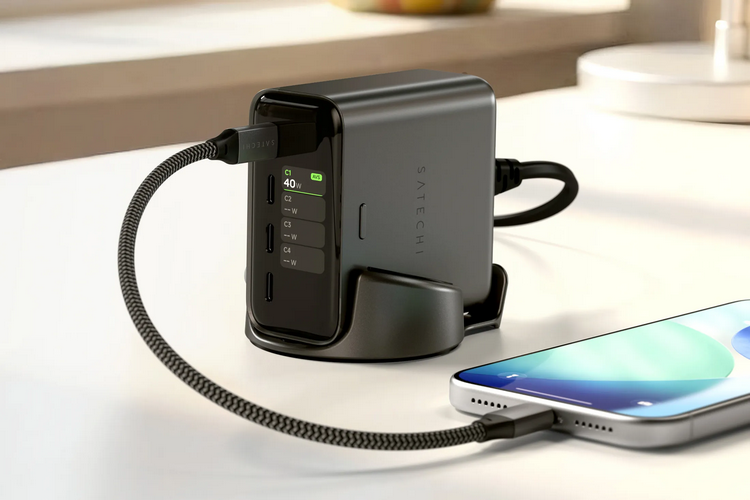
Not every device needs a screen. For some, in fact, it’s just another power drain you’d be best to do without. However, some devices do genuinely benefit from getting one. Such is the case with the Satechi ChargeView, a charging station with an integrated digital display.
While a display on a charger seems like an erstwhile waste of hardware, we have a feeling some folks will find its implementation actually useful. That’s because the device uses it to list the amount of power being consumed by each port, making it easier for users to estimate how long a charging session might take and how many of their gadgets they can charge concurrently without slowing things down to a crawl.
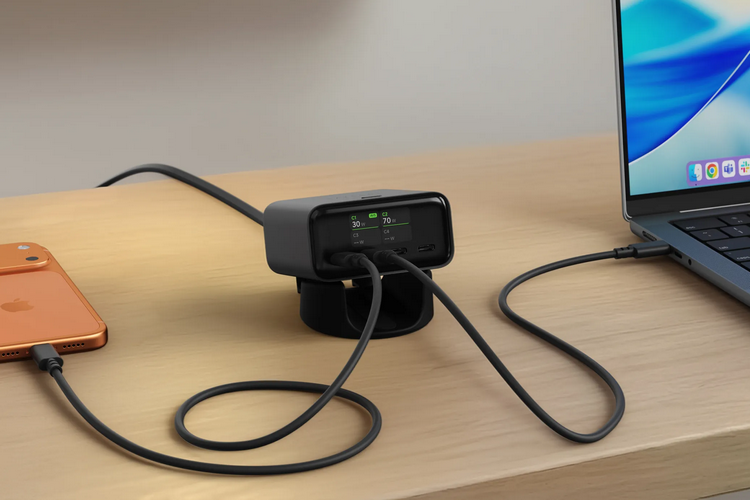
The Satechi ChargeView is a 140W desktop charger. It’s strictly a charging station, by the way, so no integrated battery in tow like a power bank. To use it, you plug it into a main outlet, park it somewhere accessible on your desk, and plug in all your devices into its ports. It has a total of four USB-C ports, so you can hook up a quartet of devices at a time, with USB PD 3.2, AVS, and PPS support, so it can fast-charge your devices safely. The thing should be able to charge any USB-C device out there, from MacBooks and Windows laptops to e-readers and smartphones and everything else with a USB-C slot.
The small digital display situated right next to the ports can show in real-time the total power output for the whole charger and the amount of wattage going out per port, allowing you to see whether your laptop is getting the maximum amount of charge as you like or if one of the other devices plugged in is taking up too much power. High-draw devices should be plugged into the ports labeled C1 and C2, as they both have 140W output, allowing you to take advantage of the charger’s full capacity, so long as you have a compatible 140W-rated USB-C cable. The other two ports only have a 40W output, which should make them useful for smartphones, non-Pro tablets, wireless earbuds, and similar devices.
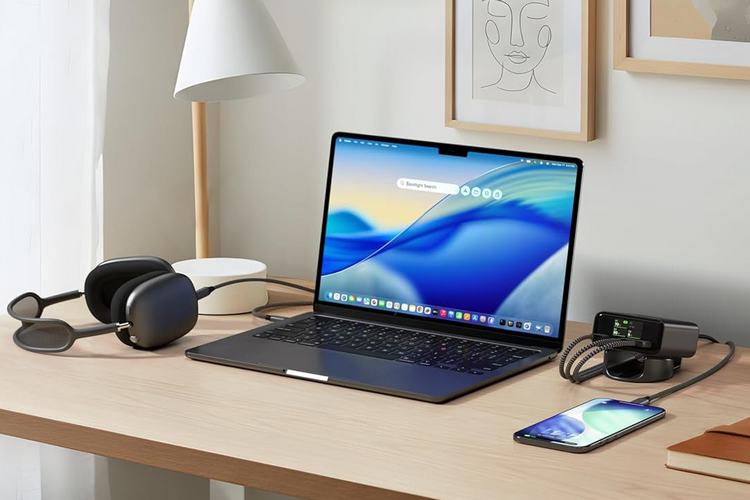
The Satechi ChargeView comes with a desk stand where you can set it up either horizontally or vertically. In either orientation, the screen will automatically rotate to make sure you can read the information without having to tilt your head sideways. According to the outfit, it has smart power distribution, so even if you max out the amount of devices plugged in, it will still look to maximize output for the high-draw slots. It can also adapt based on the optimal output for for each device plugged in. Naturally, it comes with all the usual safety features for chargers, including power surge protection, overcharge protection, and overheating protection.
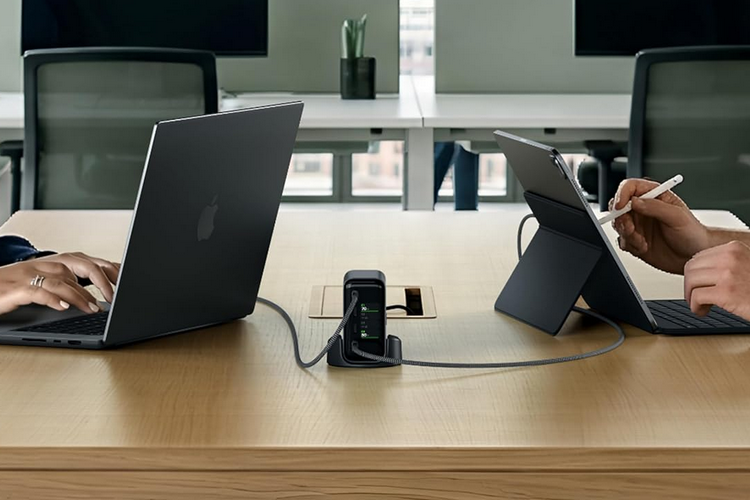
The power cable, by the way, is detachable, so you can take it off and hide it in a drawer if you don’t want the cable mess. However, the whole thing is compact enough that you can easily hide it somewhere in the desk without having it get in the way.
The Satechi ChargeView is available now.